AI Live Chat for Your Website: Text, Voice or Video — Which Fits Your Business?
AI live chat for your website now comes in three formats: text chat, voice calls and video with a realistic face. What each is good for, what to look for and how pricing works.
By the CaraDesk team · · 9 min read
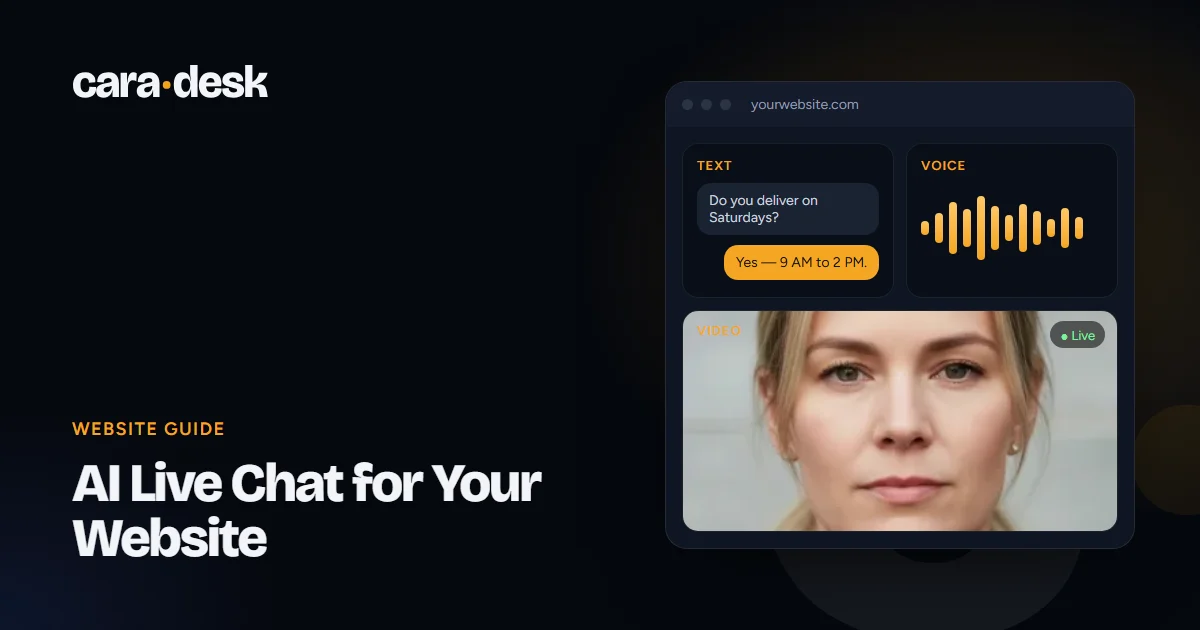
- Modern AI live chat answers from your own knowledge — products, prices, policies — instead of scripted menus.
- There are now three formats: text chat, a voice call from the page and a video call with a realistic face.
- The best choice depends on what visitors ask: quick facts suit text, considered purchases often suit voice or video.
- Whatever you pick, check that it doesn't guess, captures contacts, hands off to people and says it's an AI.
In this article
What AI live chat is in 2026
A few years ago, a "chatbot" on a website meant a decision tree: pick an option, get a canned answer, end up at a contact form. AI live chat is different. It reads the visitor's question in their own words and answers from the knowledge you give it — your website, catalog, price list, FAQs and policies. It can ask follow-up questions, capture contact details, book appointments and pass the conversation to a person.
What's new is that AI live chat is no longer only text. Visitors can now talk to an AI consultant by voice, or even by video with a realistic face, right from the page — no phone number, no app, no forms.
Three formats compared
| Format | Best for | Strengths | Trade-offs |
|---|---|---|---|
| Text chat widget | Quick facts, order status, opening hours, simple questions | Familiar, quiet, works anywhere, easy to skim | Typing is slow for complex questions; many visitors leave mid-chat |
| Voice call from the page | Considered purchases, services that need explanation, mobile visitors | Fast and natural; people explain more by talking than typing | Needs a microphone and a quiet moment |
| Video call with a realistic face | High-consideration services, premium brands, first impressions | Feels like talking to a person at the counter; holds attention | Uses more bandwidth; costs more per minute than text |
Many businesses use more than one. A text chat handles the quick questions, and a "Call" button lets visitors who want to talk do so in seconds.
What a good AI live chat should do
Whichever format you choose, these are the capabilities that matter:
- Answer from approved knowledge. You decide what it knows, and you can update it any time.
- Not guess. When a question falls outside its knowledge, it should say it'll check and pass the question to your team.
- Capture contacts properly. Name, phone and email — read back to the visitor to confirm.
- Book and quote. Put the appointment in your calendar or send the quote, not just take a message.
- Hand off to people. Your team should be able to jump in, and the AI should hand over by itself when your rules say so.
- Remember across channels. The same customer may write on your website, then on WhatsApp, then call. One memory saves them repeating themselves.
- Send you a summary. After each conversation: who it was, what they wanted and what was agreed.
- Say it's an AI. Visitors should always know who they're talking to.
How to choose the best AI live chat for your website
Use this checklist when you compare tools:
- Test it with your hardest real questions, not the vendor's demo script.
- Ask what happens when it doesn't know. Make it fail on purpose and watch.
- Check where summaries and leads go — your email, CRM or team chat.
- Look at languages and voices if you serve customers in more than one language.
- Read the pricing carefully: monthly fee, included conversations or minutes, and overage.
- Ask who sets it up — you, with a builder, or the vendor, for you.
- Check privacy: what is stored, where, for how long, and what your privacy notice needs to say.
- Try it on a phone. Most visitors will meet it on mobile.
Is there a free AI live chat?
Some chat tools offer free plans. They can be fine for testing the idea on a small site. Before you rely on one, check the limits: number of conversations, branding you can't remove, whether it can use your own knowledge, whether it can book or hand off, and what support you get. A free tool that guesses wrong answers about your prices can cost more than a paid one.
Voice and video: the AI Live Consultant
Our AI Live Consultant adds a "Call" button to your website. A visitor taps it and an AI consultant picks up in seconds — on video with a realistic face, or by voice only. It answers questions about your products, takes the order or books the appointment, and sends you a summary with the visitor's contacts, what they asked and what was agreed — to your email, Telegram or CRM.
- Nothing to install for visitors. It works in the browser on phones and computers. Visitors only allow the microphone; their camera is never turned on.
- Your choice of face and voice. Six realistic faces and 30+ voices, or a voice-only consultant.
- A widget or a ready page. Add it to any site with one line of code — WordPress, Shopify, Wix, Webflow or custom-built — or launch a ready one-screen landing page for your ads.
- Honest by design. The visitor starts the call themselves, and the consultant always says it's an AI.
Pricing: $39 a month in the U.S. (£29 in the UK, CA$49 in Canada), with 30 minutes of conversation included every month. Most calls take one to three minutes. Extra live video minutes: up to 300 minutes a month — $0.59 per minute; 300–1,000 — $0.49; 1,000–5,000 — $0.45; above that, a custom quote.
The easiest way to judge it is to try it: Ashley, our AI manager, is this exact product. Call her below — she'll answer questions about CaraDesk the same way your consultant would answer about your business.
Ask how this would work for your business. Or send a short request and get a tailored plan and price by email within one business day.
Text chat and messaging
If your customers prefer to write, our AI Chat & Messaging Agent works in website chat, WhatsApp, Instagram, Facebook Messenger, SMS and email — one agent with one memory across all of them. It replies in seconds, captures contact details, books appointments and sends quotes, and your team can take over any conversation at any time.
Privacy and disclosure
AI live chat processes what visitors say, so a few basics apply:
- Tell visitors they're talking to an AI.
- Explain in your privacy notice what is collected, why and who processes it — voice and video conversations are processed by an AI provider in real time.
- Don't ask for sensitive personal information in chat, such as card numbers or passwords.
- Keep only what you need, such as a summary and the contacts the visitor chose to share.
We set up the notice and privacy text for your site as part of the setup.
Want to go further? See how speed to lead works for form leads, or how a WhatsApp AI agent handles customers who prefer messaging.
 Pricing guideAI Receptionist Cost per Month in 2026: What You Actually Pay For
 Sales playbookSpeed to Lead: What It Means, What the Research Says, and How to Automate It
 ComparisonSalesforce Agentforce Alternative for Small and Mid-Sized Businesses