WhatsApp AI Agent for Business: How It Works, What It Costs and the Rules
How a WhatsApp AI agent for business works: the WhatsApp Business Platform, how Meta charges per message, the rules for AI, setup steps and what to ask a vendor.
By the CaraDesk team · · 9 min read
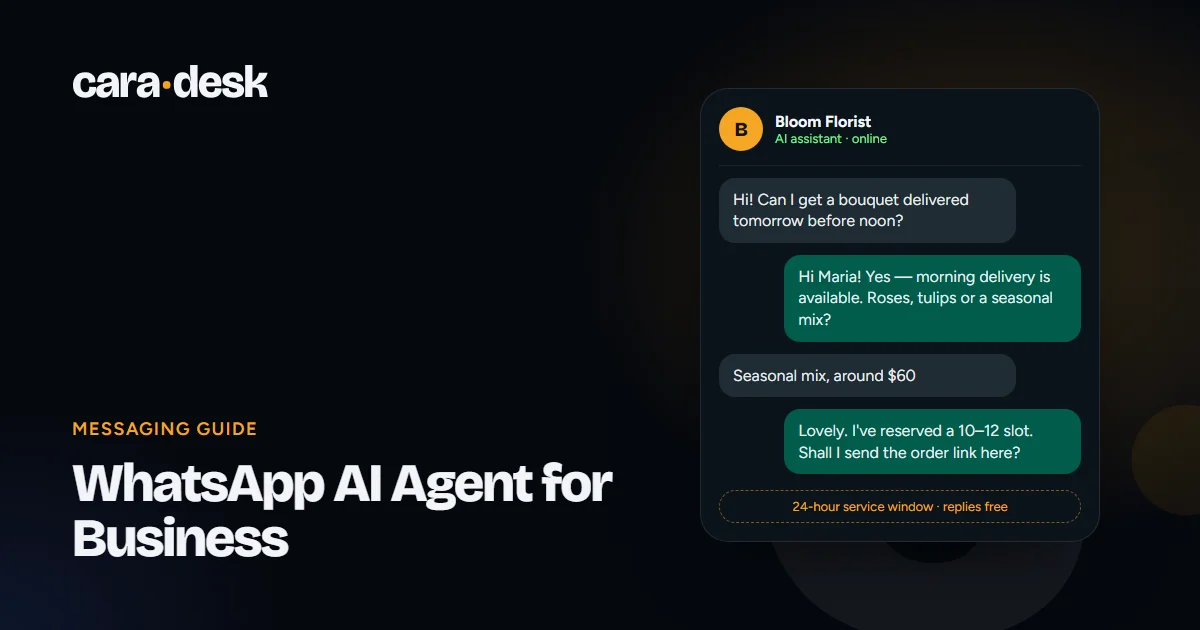
- A WhatsApp AI agent runs on the WhatsApp Business Platform, not the regular WhatsApp Business app.
- Meta charges per delivered template message by category and country; replies inside the 24-hour customer service window are free.
- Since January 15, 2026, Meta's terms bar general-purpose AI assistants on the platform — but businesses can use AI for their own customer service.
- Your total cost is Meta's messaging fees plus your AI vendor's fee.
In this article
What a WhatsApp AI agent is
A WhatsApp AI agent answers your customers on WhatsApp automatically. It reads each message in the customer's own words, replies from the knowledge you approve — products, prices, opening hours, policies — and can capture contact details, book appointments, send quotes and pass the conversation to your team.
For many businesses, WhatsApp is where customers already are. They'd rather send a quick message than call or fill in a form. An AI agent makes sure those messages get an answer in seconds, at any hour, instead of waiting until someone checks the phone.
WhatsApp Business app vs. WhatsApp Business Platform
There are two different products, and the difference matters:
| WhatsApp Business app | WhatsApp Business Platform | |
|---|---|---|
| What it is | The free app on a phone, for small businesses | Meta's platform for businesses that connect WhatsApp to their own systems |
| Who replies | Mostly a person, by hand, with built-in quick and away replies | Your own software — including an AI agent — connected through the platform |
| Scale | A few people sharing one number | Many conversations at once, connected to CRM and other tools |
| Cost | Free app | Meta charges per message for some message types |
An AI agent needs the WhatsApp Business Platform. You'll need a Platform account in your company's name and a phone number connected to it. We help our customers set it up and connect the number.
How Meta charges for WhatsApp messages
Since July 1, 2025, Meta charges per delivered message rather than per conversation. In short, according to Meta's WhatsApp Business Platform pricing documentation:
- Template messages — pre-approved messages a business sends, for example to start a conversation — are charged by category (marketing, utility or authentication) and by the recipient's country.
- Replies inside the customer service window are free. When a customer messages you, a 24-hour window opens; free-form replies inside it cost nothing, and utility templates inside the window are free too. Each new customer message restarts the window.
- Marketing and authentication templates are charged even inside the window.
- Conversations started from click-to-WhatsApp ads or a Facebook Page button get a longer free entry window, as long as you reply in time.
Rates differ by country and change over time, so check Meta's current rate card for your markets. The practical takeaway: an AI agent that answers customers who wrote to you mostly works inside the free window. Costs come mainly from messages you start — reminders, follow-ups and marketing.
On top of Meta's fees, you pay your AI vendor for the agent itself.
The rules for AI on WhatsApp
Meta updated its WhatsApp Business Solution terms, effective January 15, 2026, to bar AI providers from offering general-purpose AI assistants — chatbots whose main purpose is open-ended AI conversation — through the platform. Businesses using AI for their own customer service are not affected: answering questions about your products, booking appointments, tracking orders and supporting customers remain allowed.
A few other rules apply to every business on the platform:
- Business-initiated messages need opt-in and must use templates approved by Meta.
- Respect opt-outs. If a customer asks you to stop, stop.
- Be honest about AI. Customers should know they're talking to an AI, and it should answer honestly if asked.
- Follow local law on marketing messages — for example CASL in Canada and PECR in the UK.
This is general information, not legal advice. Check Meta's current terms and your local rules.
What a WhatsApp AI agent can do for your business
- Answer product and price questions from your catalog and price list.
- Capture leads: name, phone, what they need, and pass them to your CRM.
- Book appointments in your calendar and send confirmations.
- Send quotes while the customer is still in the chat.
- Hand off to a person for complaints, sensitive topics or anything outside its knowledge — with the full conversation attached.
- Keep one memory across channels, so a customer who wrote on your website yesterday and on WhatsApp today doesn't start from zero.
How to set one up
- Get a WhatsApp Business Platform account in your company's name and connect a phone number.
- Gather your knowledge: website, catalog, price list, FAQs and policies. You approve what the agent knows.
- Set the rules: what it can answer, when it hands off, working hours for your team, what it must never do.
- Prepare templates for messages you'll start yourself, such as reminders, and submit them for approval.
- Test with real questions — including the awkward ones.
- Go live and review: read conversations in the first days and refine the knowledge.
A first working version usually takes a few business days.
Do it yourself or use a vendor?
You can build a WhatsApp AI agent yourself with automation tools and an AI model. That works well if you have someone technical with time to build it, test it and keep it running. The hard parts are rarely the first demo — they're handling the questions the AI doesn't know, keeping prices up to date, handoffs to your team and staying within Meta's rules.
A vendor sets that up for you and keeps it tuned. When you compare vendors, ask:
- Does it answer only from knowledge we approve, and what does it do when it doesn't know?
- Can our team take over any conversation?
- Which other channels does it cover with the same memory?
- How are Meta's fees billed — directly to us, or through you?
- What do we get after each conversation?
WhatsApp with CaraDesk
Our AI Chat & Messaging Agent works in WhatsApp, website chat, Instagram, Facebook Messenger, SMS and email — one agent with one memory across all of them. It replies in seconds, knows your products and prices, captures contact details, books appointments and sends quotes, and it passes the conversation to a person whenever it should. Your team can jump into any chat at any time.
It shares a brain with our AI Sales Rep, so a chat can turn into a phone call in seconds when the customer wants to talk.
Pricing: from $39 a month per AI employee in the U.S. (£29 in the UK, CA$49 in Canada), covering setup, tuning and support. Usage is billed by volume and gets cheaper as you grow. Meta's own messaging fees apply on top.
Ask how this would work for your business. Or send a short request and get a tailored plan and price by email within one business day.
If your customers also call, see what an AI receptionist costs per month. And if you'd rather let visitors talk to you from the website, read about AI live chat by voice and video.
 Pricing guideAI Receptionist Cost per Month in 2026: What You Actually Pay For
 Sales playbookSpeed to Lead: What It Means, What the Research Says, and How to Automate It
 Website guideAI Live Chat for Your Website: Text, Voice or Video — Which Fits Your Business?